Reimagining the form-building experience for 123FormBuilder's millions of users
123FormBuilder is a cloud-based platform that helps people create interactive forms, surveys, quizzes, and lead-generation tools without having to write any code.
I joined 123FormBuilder as a Senior Frontend Engineer and worked on projects ranging from integrating with Salesforce to improving the mobile app's offline experience. This case study focuses on rethinking the form-building experience.
The problem
123FormBuilder had been around since 2008, and its form builder was built on a custom, in-house framework. Over time, most of the engineers familiar with it had left the company, making onboarding new people increasingly difficult.
Adding new features was slow and cumbersome, making it harder to stay competitive. The form-building experience was also showing its age, from how users created and edited forms to how they published them. And because the same rendering engine powered both the editor and the published forms, frontend performance became increasingly important.
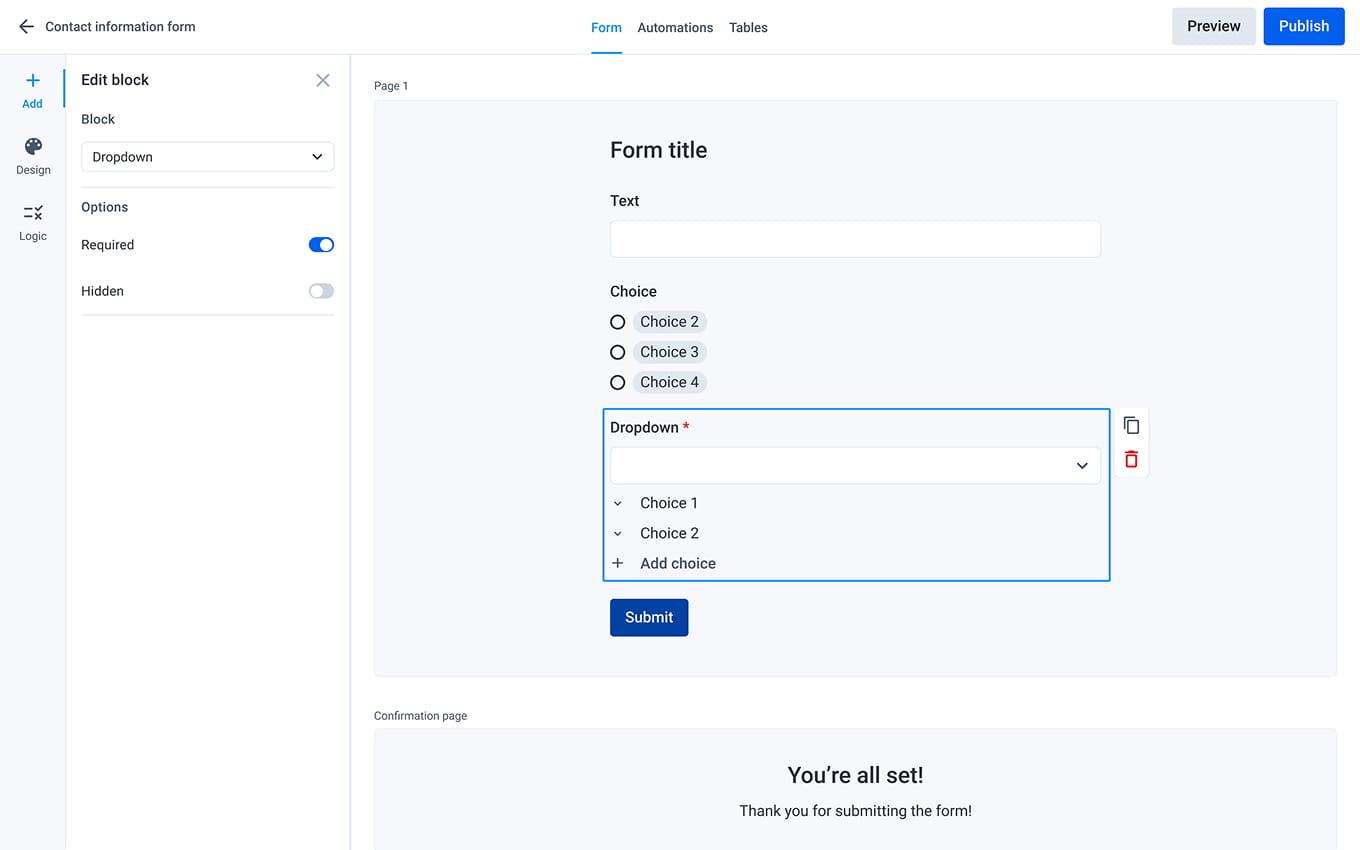
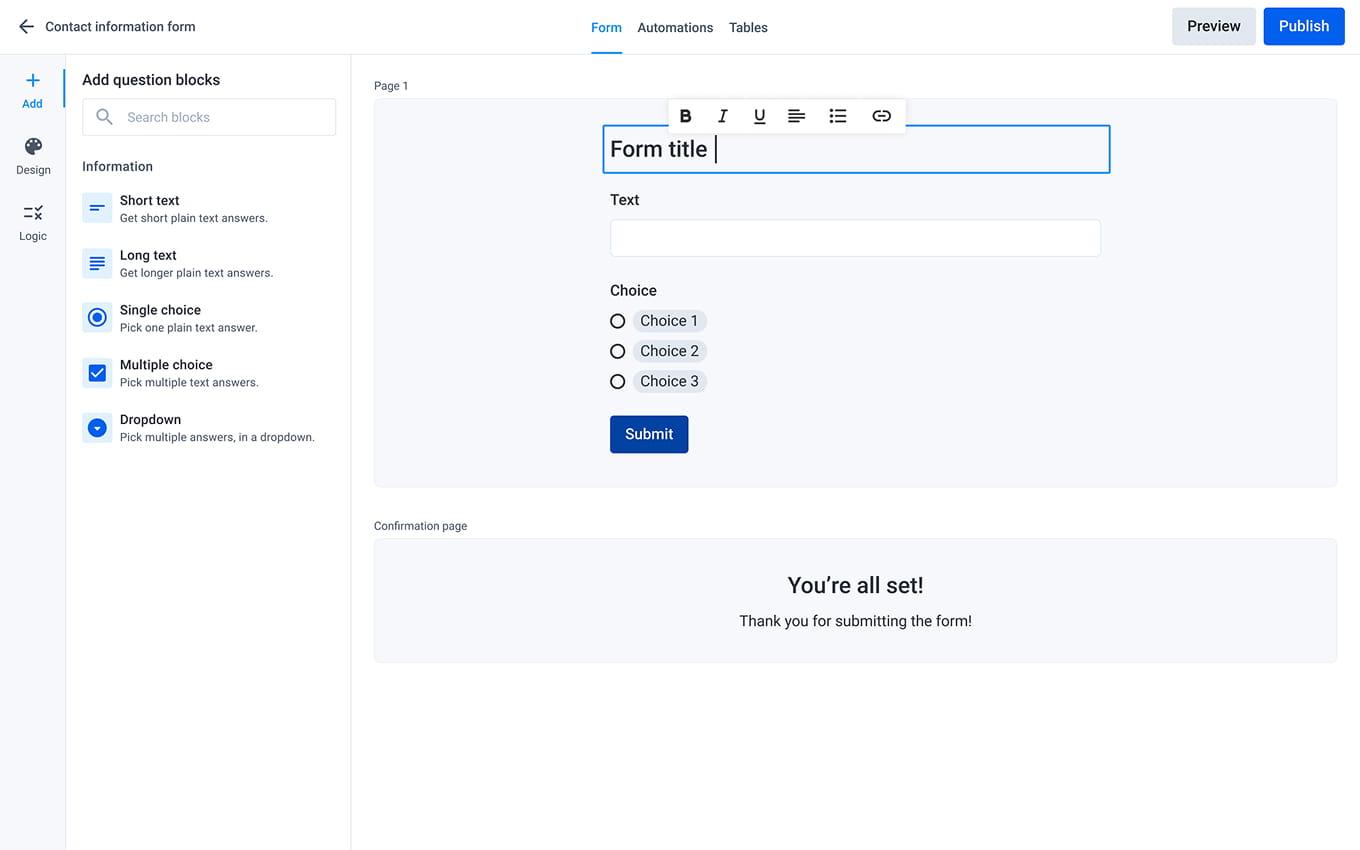
To address these challenges, we set out to rebuild the form builder using a modern tech stack and a reusable design system. We also reimagined the form-building experience with inline editing, drag-and-drop, and simpler form publishing.
Challenges
Although we were rebuilding the form builder, the rest of the application wasn't going anywhere. Making the old and new work together came with its own challenges.
- Team dynamics: We had to decide whether to split the existing team or form a new one, while giving engineers time to learn a new stack;
- Avoiding over-engineering: Knowing the limitations of the old system made it incredibly tempting to solve too many problems at once;
- Backward compatibility: Migrating to a new data structure meant preserving customer data without breaking existing forms;
- Hidden dependencies: Years of undocumented flows and integrations kept surfacing, making it difficult to keep the scope under control.

My role
As a Senior Frontend Engineer on the core team, I helped shape the technical direction of the new form builder while staying hands-on with development. Among other things, my responsibilities included:
- Scaffolding the initial application and defining its state management strategy so the team could quickly prototype and validate ideas;
- Modelling the form builder's data structure, keeping performance in mind;
- Establishing Kyubi, our internal design system built on Chakra UI, with accessible, documented components to help the team stay consistent;
- Mentoring teammates through regular 1-on-1s to help them get comfortable with the new stack.
Key engineering decisions
Working closely with the project's tech leads, I took ownership of several foundational decisions for the new form builder. Here are two I'm proud of:
Building our design system with Chakra UI
Without a reusable design system, we risked building the same components over and over again, introducing inconsistencies, and making accessibility harder to get right.
Rather than building everything from scratch, I explored existing libraries, built a few prototypes, and presented three options to the tech leads. I recommended Chakra UI because it gave us the speed of an existing component library without sacrificing the flexibility to build our own design system. We built Kyubi on top of it, helping us move faster, stay consistent, and onboard new engineers more easily.
Using a flat tree for form rendering
Forms could get surprisingly large, with multiple pages, sections, dropdowns containing hundreds of options, and complex conditional logic. With nested objects, even small updates could cause noticeable lag as forms grew.
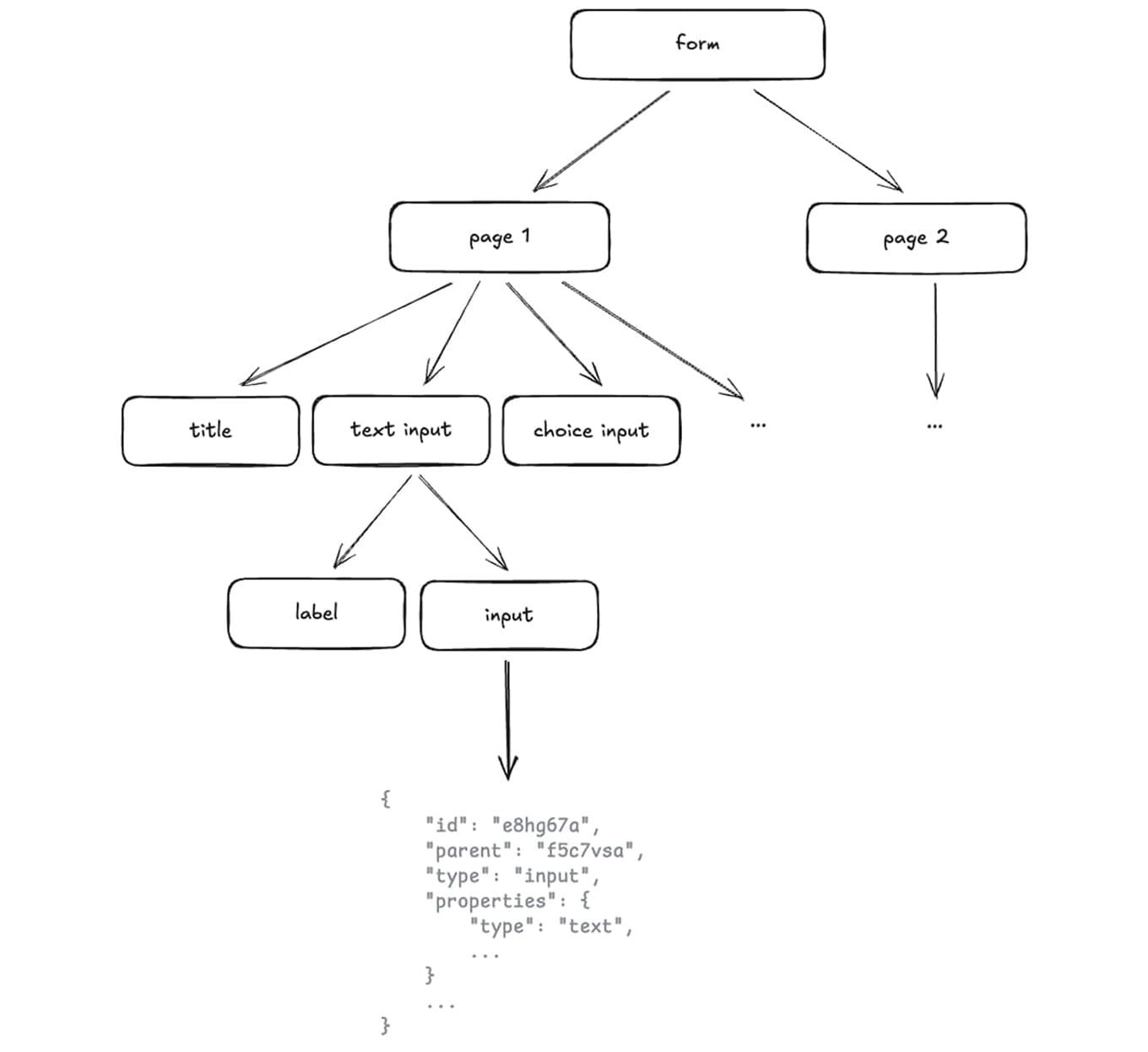
To address this, I proposed a flat array structure where each element referenced its parent by ID. This made updating individual fields simpler and moving them between sections or pages a matter of changing relationships rather than restructuring nested objects. Combined with memoization, this helped us avoid unnecessary re-renders and keep even large forms responsive. The structure was also easy to visualize as a tree, making it straightforward for engineers to understand and extend.
Outcome
We finished the new frontend as we'd envisioned, with inline editing, drag-and-drop, and a much more responsive and modern form-building experience. However, the backend wasn't ready on time, so we ultimately shut down the project before launch.
While it wasn't the outcome we'd hoped for, the work wasn't entirely lost. Some of the ideas and technology we developed eventually made their way into the existing application, including parts of the new editing experience.
Learnings
This was the second rewrite project of my career, and I was fully invested in making it work. I'm truly proud of what we built, but seeing the project shut down before launch was genuinely disappointing.
Looking back, I'd push for smaller, end-to-end milestones that would let us ship improvements to customers right away, rather than waiting for the entire rewrite to be ready. Looking forward, this is how I'll be approaching every rewrite conversation.